


How to accept or decline a shift
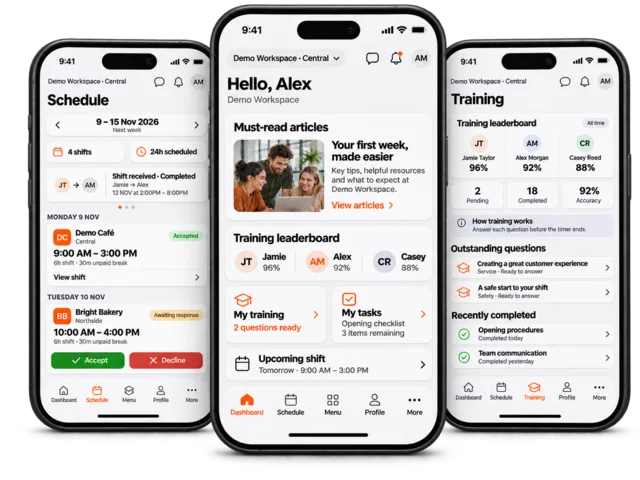
Accept or decline an unconfirmed upcoming shift in your personal Schedule. Always check the workspace, location and times before responding.
Open Schedule in employee view and select the week containing the shift.
Find the shift and use its Accept or Decline action when available. Open the shift card if you need to review its information first.
Review the confirmation prompt, which includes the workspace and shift times. Confirm your choice to submit it, or cancel to leave the shift unchanged.
Wait for the response to save and check the displayed confirmation status. If saving fails, refresh before trying again.
Response buttons are shown for eligible future, unconfirmed shifts. If the shift is already confirmed or declined, is in the past, or has no response action, contact your manager. A swap or give-shift request is a separate workflow and may require approval.