
CRM & Lead Management
Keep enquiries, customer details and activity history together, so your team can follow up with context instead of searching inboxes.
- Customer records
- Lead follow-up
- Enquiry forms

Dashify Features
Dashify is business management software that brings your people, customers, bookings, inventory, orders and daily tasks together.
Spend less of the day chasing updates and piecing information together. Start with the workflow that needs attention, then connect more of your operation as you grow.
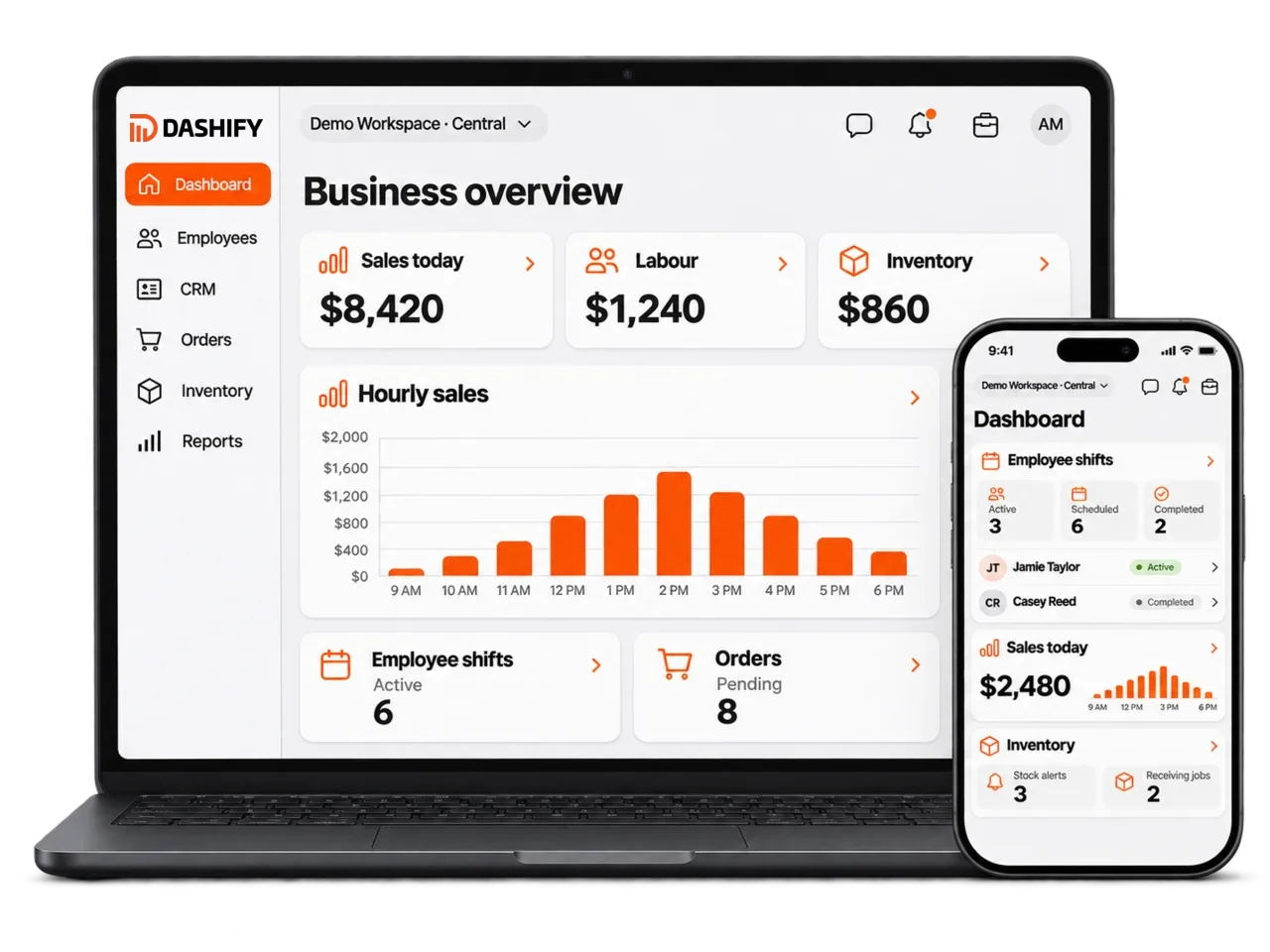
See the records, activity and outstanding work behind your day-to-day decisions.
Give the next person the details they need, without starting the conversation again.
Connect more workflows as your team, locations and operational needs change.
Explore the software
Start with your biggest operational challenge. Each feature area supports a different part of the business, with more value when related work connects.
Keep enquiries, customer details and activity history together, so your team can follow up with context instead of searching inboxes.
Bring hiring, onboarding, staff records and the working week into one place. Give managers visibility and employees a clear next step.
See what is in stock, what is on order and what needs to go out. Keep purchasing, receiving, fulfilment and returns connected.
Let customers book through your website while your team manages availability, guest details, confirmations and payment requirements.
Give staff a shared workplace device for clocking in, recording breaks and accessing daily tasks, procedures and training.
Keep work moving away from the desk. Managers can access business tools while employees view shifts, read updates and complete assigned work.
Give daily checklists, one-off jobs and larger projects a clear owner. See what is complete, what is due and what needs attention.
Have a process that does not fit standard software? Talk to us about tailored forms, approvals, reporting and integrations built around your operation.
Feature availability depends on your plan, enabled modules and user permissions. Compare plans and inclusions.
See the connections
Here is how related work can move through Dashify, with the information staying alongside it.
Collect onboarding details, review the employee record, plan their roster and assign training without losing the handover.
See the employee workflowCapture an enquiry, keep it with the customer record and give the next person the history they need to follow up.
See the customer workflowConnect supplier orders and receiving with stock availability, sales fulfilment and returns.
See the stock and order workflow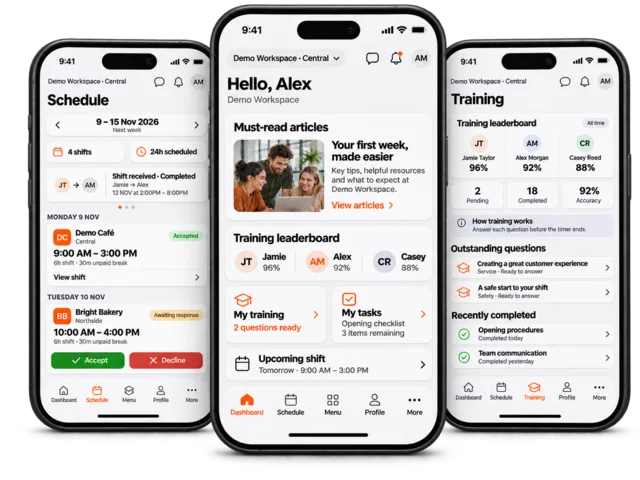
Web, mobile and kiosk
Plan and review work in the web portal, keep up from your phone, and give staff a shared kiosk where they work.
Why Dashify
The goal is not another app for your team to maintain. It is a more joined-up way to manage the business as it grows.
Keep related records together, rather than maintaining separate versions across spreadsheets and apps.
Review sales, staff activity, stock and outstanding work from connected dashboards and reports.
Explore supported accounting, payment, email and API integrations before deciding what to replace.
Give managers and employees access to the tools they need through role-based permissions.
Keep location-level work organised while giving owners a view across their workspaces.
Choose the plan and modules that address your immediate needs, with room to connect more workflows later.
Your next step
You do not need to solve every process on day one. First, establish where Dashify fits and what your team needs to get started.
01
Start with the work that creates the most chasing: rosters, customer follow-up, stock checks or daily tasks.
02
Explore the relevant features, compare plan inclusions and try the workflow with the people who will use it.
03
Talk through your existing tools, data, permissions and integrations before deciding what to move and when.
Before you choose
Want to see examples closer to your business? Explore your industry or browse solutions by workflow.
No. Start by identifying the workflow you want to improve. Review which Dashify modules and supported integrations fit your existing setup, then decide what to keep and what to replace.
No. Included modules and user limits vary by plan. Compare the pricing page, and check any integration or custom requirements with us before choosing a package.
Yes. The mobile app has an employee view for tools such as shifts, messages, training and assigned work. What each person can access depends on their role, enabled modules and workspace settings.
Make a list of your current tools, the records you need to bring across and any essential integrations. Share these with us so you can confirm what is supported and understand the setup work before committing.
Ready for a closer look?
Try the software, compare your options, or tell us which processes you want to improve. We can help you work out a sensible starting point.