


Retrieve my PIN code to login to Kiosk
Your Kiosk PIN belongs to your employee record in a workspace. It is different from the password used to sign in to your Dashify account.
Before we get started ensure you are logged into Dashify with the right access levels, if you don't have sufficient permissions please contact your system administrator.
Check the activation or welcome email from your employer, including your junk folder. Use the PIN for the workspace where you are working.
If your workspace profile shows a PIN Code field, you can view it there after signing in. The information available depends on your account and workspace access.
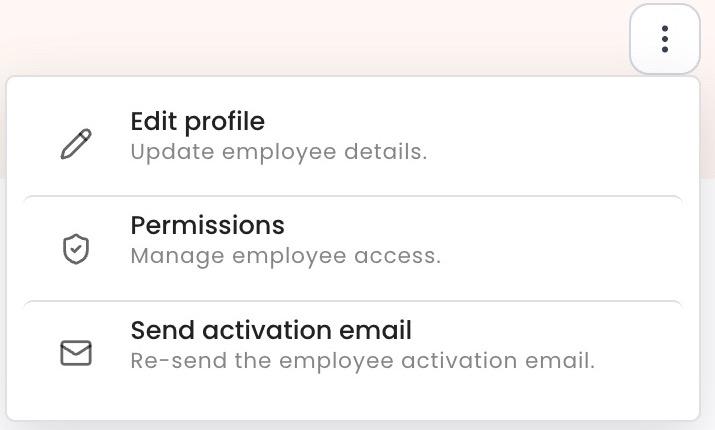
If you cannot find your PIN, ask your manager to open your employee record and choose Actions (…) > Send activation email. An authorised administrator can update the PIN if necessary.
Protect your access: do not use another employee’s PIN or post your PIN in shared chats. If the Kiosk does not recognise it, first check that the device is connected to the correct workspace.
Find the PIN for a new workplace
A new team member can sign in to Dashify but does not know their kiosk PIN. They check the activation email for that workplace. If it is missing, they ask their manager to resend it privately.